| Input Features |
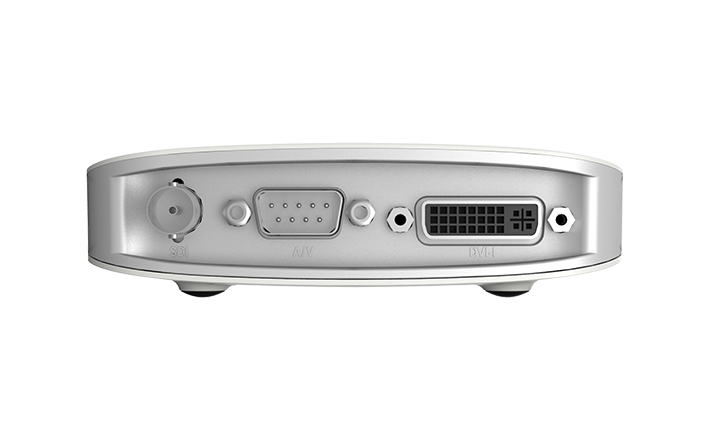
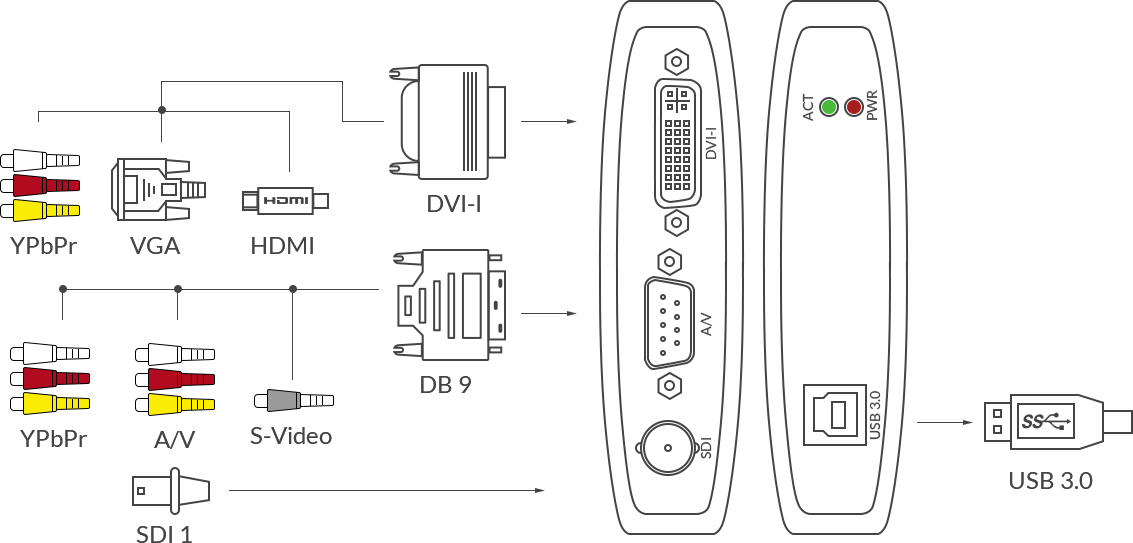
DVI-I: DVI 1.0
- HDMI 1.4a (via breakout cable)
- VGA (via DVI-to-VGA connector)
- Component (via breakout cable)
DB9
- YC (S-Video)
- Composite video
- Analog audio (L+R)
- Component video
BNC SD/HD/3G SDI
|
| HDMI Input Features |
- 225MHz HDMI receiver, max input 2048x1080 60fps 4:4:4
- Custom EDID
- Input RGB/YUV 4:4:4 8/10/12-bit, YUY 4:2:2 12-bit
- Up to 8-channel 24-bit HDMI-embedded audio at 192kHz
- HDMI interfaces: HDMI 1.4a
|
| SDI Input Features |
- BNC SD/HD/3G SDI
- SD (ST 259)/HD (ST 292)/3Ga (ST 425)/3Gb-DL (ST 425)/3Gb-DS (ST 425) standard
- Input RGB/YUV 4:4:4 10/12-bit, YUV 4:2:2 8/10/12-bit, RGBA/YUVA 4:4:4:4 10-bit
- Input SDI signals transmitted up to 150m for 3G-SDI signals
- Max input 2048x1080 60fps 4:2:2 10bit
- Up to 8-channel SDI-embedded audio
|
| VGA & Component Input Features |
- 12-bit ADC
- Support for RGB & YCbCr (YUV) color formats
- Support for ‘Separated sync’, ‘Composite sync’, ‘Sync-on-green’ (SOG), ‘Sync-on-luminance’
(SOY)
- Support for DMT, CEA, CVT, GTF, and custom CVT/GTF video timings
- Input signals up to 165MHz pixel rate are digitized with 1:1 sampling
- Input 3.5mm line in
|
| S-video & CVBS Input Features |
- Support for NTSC, PAL, SECAM standards
- Auto detection of the standard of input signal
|
| Process and Capture Features |
- Video processing pipeline up to 160M pixels/s. Capture resolutions up to 2048x2160, frame
rates up to 120fps. Outputs include (actual capture frame rate can be limited by the USB
bandwidth and internal working frequency.):
- 1920x1080p 23.98/24/25/29.97/30/50/59.94/60/75
- 1280x720p 23.98/24/25/29.97/30/50/59.94/60/100/119.88/120
- 720x576p25
- 720x480p30
- Support for YUY2/UYVY/RGB24/RGB32
- Custom video resolutions for CVT/GTF timings
- Support video cropping, up/down scaling, de-interlacing, aspect ratio conversion, color
format conversion, frame rate conversion, flip and mirror
- Up to 2-channel IEC60958 audio streams for HDMI signal
- Up to 2 audio channels at 48KHz for SDI signal
|
| Included Software |
USB Capture Utility enables users to easily check and set the capture-related parameters, upgrade
firmware of the capture device and export info needed for troubleshooting |
| SDK & APIs |
- The MWCapture SDK provides functions including signal status extraction, capture
configuration and real-time audio & video capture, etc
- Windows DirectShow/Wave API/DirectSound/WASAPI
- Linux V4L2/ALSA
- macOS AVCaptureSession/AudioUnit
|
| Output Interfaces |
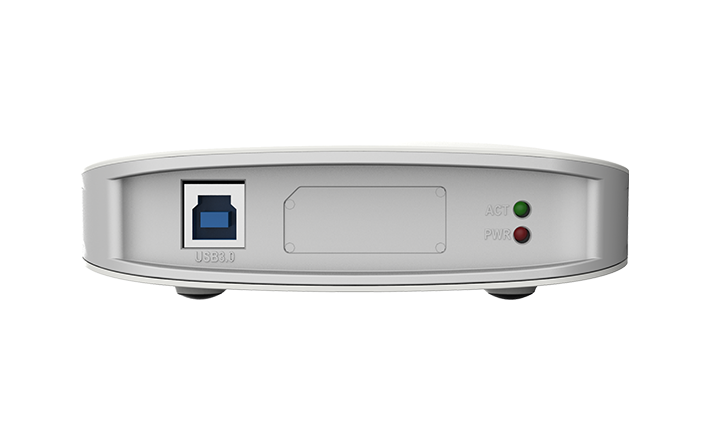
USB 3.0
- compatible with USB 2.0
- compatible with USB 3.1 Gen 1
|
| Compatible Software |
- Zoom Rooms
- Microsoft Teams
- Skype for Business
- Google Hangouts
- GoToMeeting
- Gstreamer
- VLC
- OBS Studio
- XSplit
- QuickTime Player
- Any other DirectShow/V4L2/AVCaptureSession based encoding or streaming software
|
| Recommended OS |
- Windows 7/8/8.1/10/11/Server 2008/Server 2008 R2/Server 2012/Server 2016 (x86 & x64) and
above
- Linux x86, x64 & ARM architecture, with 2.6.35 and above
- Mac OS X 10.9/macOS 10.12 and above
- Chrome OS
|
| LED Indicator |
Status LEDs indicate the working state of the device:
- Pulsing slowly: input signal unlocked
- On: input signal locked
- Double blinks: memory abnormal or FPGA configuration failed
- Off: firmware or power supply abnormal
|
| Form Factor |
116mm (L) x 116mm (W) x 32mm (H) |
| Accessories |
- 1 × USB 3.0 cable (101.5cm)
- 1 × DVI to VGA connector
- 1 × DVI-I to HDMI + Component breakout
- 1 × DB9 to YC + Composite + Analog Audio + Component breakout
|
| Power Consumption |
- 5V max current: ~1 A
- Max power consumption: ~5 W
|
| Working Environment |
- Operating temperature: 0 to 45 deg C
- Storage temperature: –20 to 70 deg C
- Relative Humidity: 5% to 90% non-condensing
|