USB Capture Utility is a software that works with Magewell USB Capture devices to help users easily check and set the capture-related parameters, customize device names, upgrade the firmware by themselves and export info needed for technical support. Download the USB Capture Utility, and read its User Manual for detailed introduction of the settings and functions.
USB Capture Utility helps users set and adjust the parameters of their USB Capture devices, including cropping, aspect ratio conversion, deinterlacing, and color space adjustment. Users can also control the audio input (recording) and output (playback) volume of the device; customize the no-signal status image; edit and import the EDID of the capture device; and specify the name (by model name, serial number, or custom text) that the device will appear as in third-party software.

With the USB Capture Utility software, users can enable or disable audio input and output.
When internet access is available, the USB Capture Utility automatically checks the firmware version of the capture device and the latest version on the Magewell server. When a newer version is available, users can check the release notes and decide whether they want to update the firmware depending on their needs.
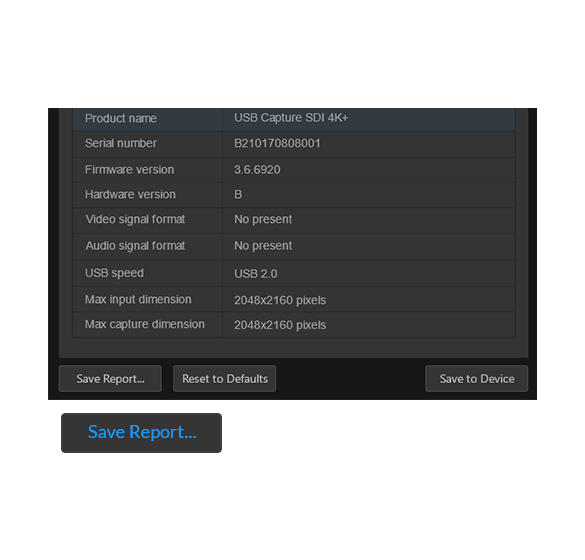
When requesting technical support, users can export detailed device status, input signal information and capture format of the device required by the Magewell support team using USB Capture Utility.
Speak to our sales team— for clinical broadcast, live medical streaming, broadcast equipment, and managed media production solutions.
Your AV-over-IP Expert
Macking Domain (M) Sdn Bhd.
Navigation
Social Links
© 2025 Macking Domain (M) Sdn Bhd. All rights reserved.